RollCall Tavern: Game Night, Upgraded

RollCall Tavern started as CogForge, the table I built for my weekly steampunk D&D campaign. I made it public in August 2026. It runs a whole tabletop night from one browser tab: the game master preps and runs the story, the battle map lights up for the fight, and every player takes their turn from their own phone.

ReactTypeScriptNode.js Socket.IOZustandWebGL2 StripeLLM Integration
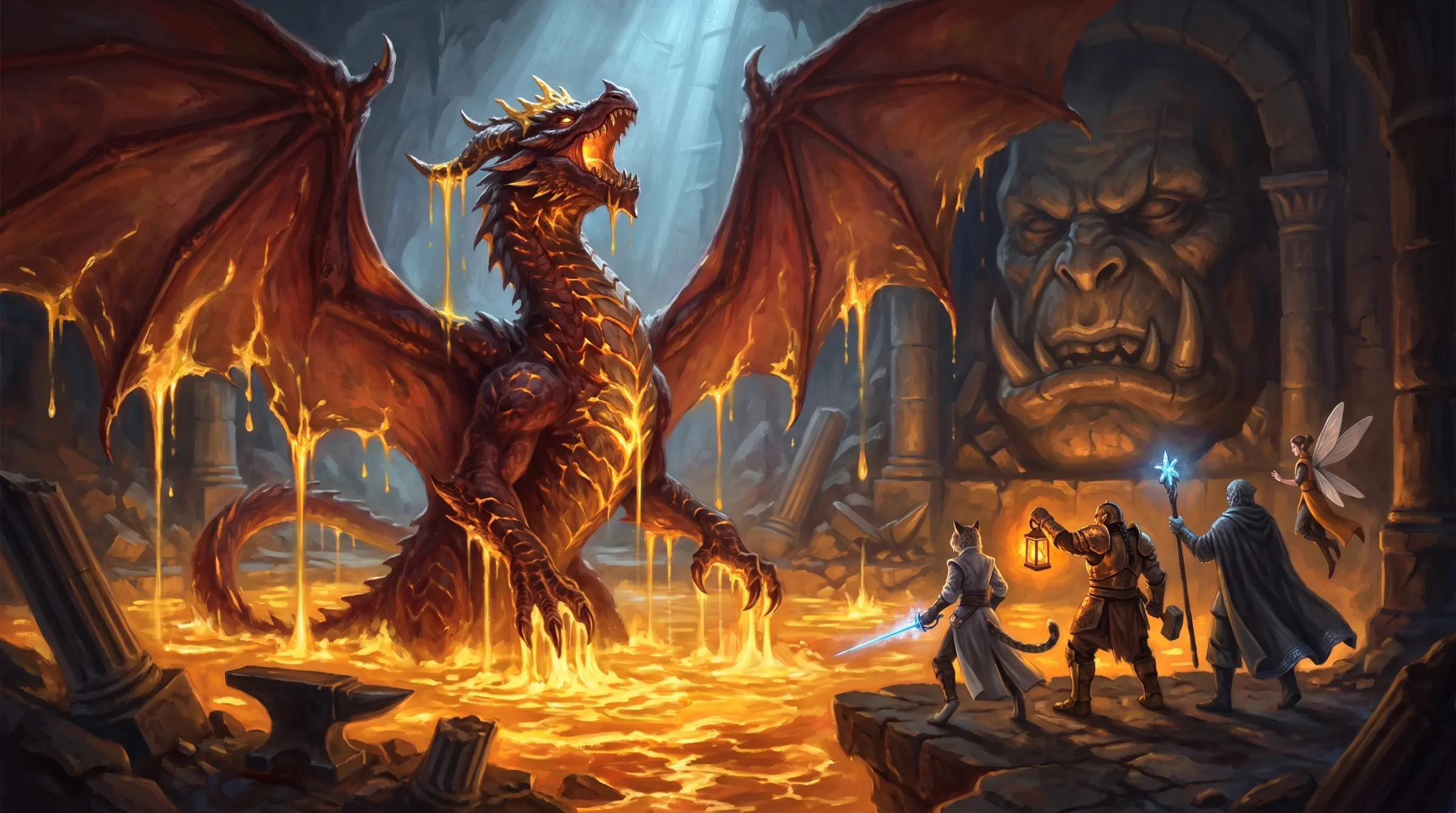
Painted cover art for The Cinder Queen campaign: a red dragon rising from molten gold in a ruined forge-temple, four heroes facing her from a stone ledge
On the cover The Cinder Queen, the campaign running on every screen below

From CogForge to RollCall Tavern

CogForge was built for one table, mine. Once other groups started playing on it I rebuilt most of what you see. The app now has two states, Prep and Run, instead of a long row of modes. Combat, the map, and anything that goes off script are layers inside Run, so the game master never has to leave the screen they're running from.

I redid the look from the ground up too. I studied the VTTs and D&D sites people already love, mocked up four directions, and went with the one that feels like sitting at a real table: painted art, warm lamplight, and plain words on the buttons. Every screenshot on this page is the live app running one campaign.
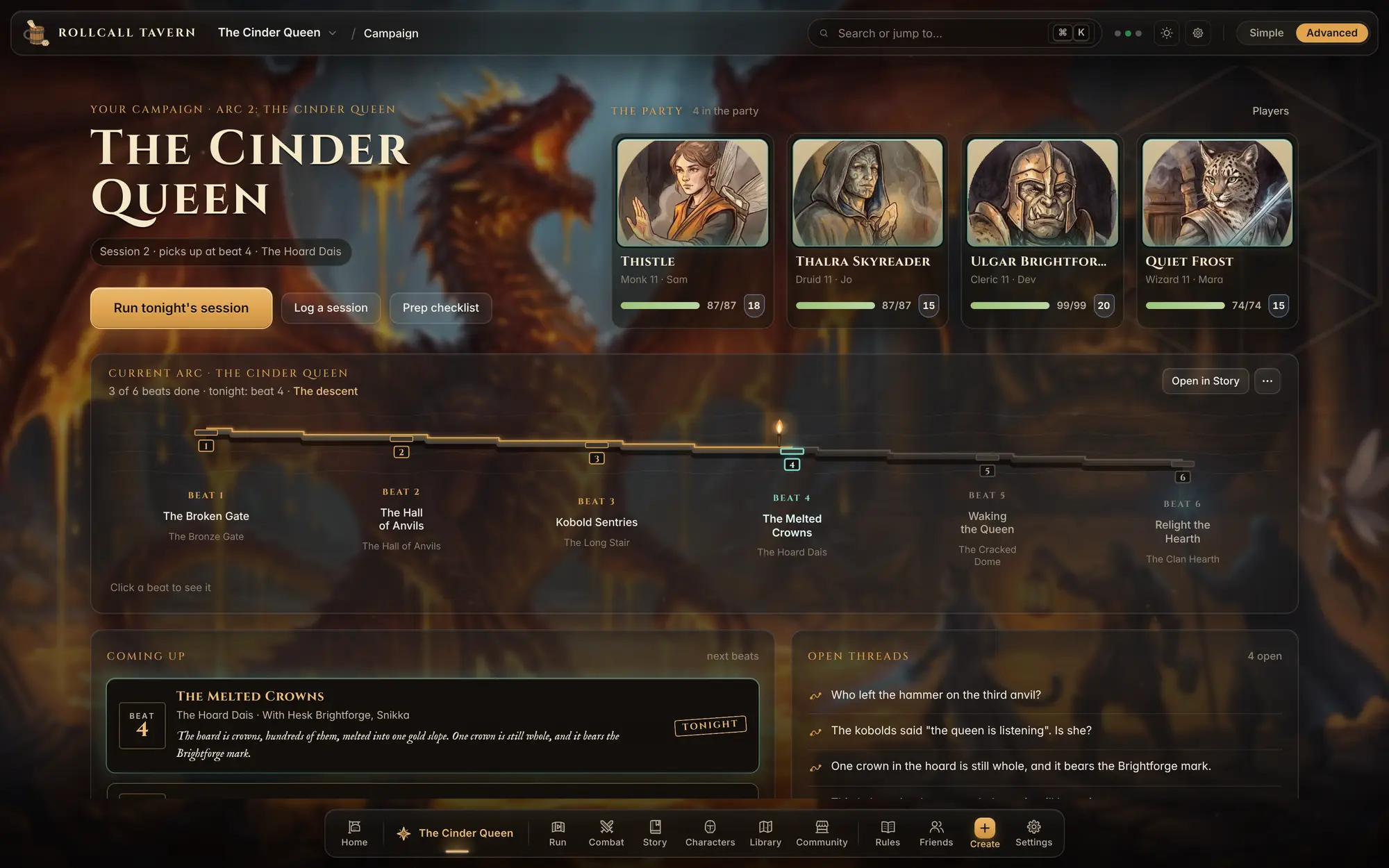
RollCall Tavern campaign page: The Cinder Queen title, the party with portraits and hit points, the current story arc as a row of beats, and what is coming up next
The campaign page: who is in the party, where the story is, and what happens next. Session 2 picks up at beat 4

Plan the story, then run it live

Scenes get written ahead of time with read-aloud text, notes only the game master sees, and the maps and fights that go with them. On game night the GM reads from the script and puts a picture, a map, or a fight on the players' screen with one click. An on air light shows what the table is looking at right now.
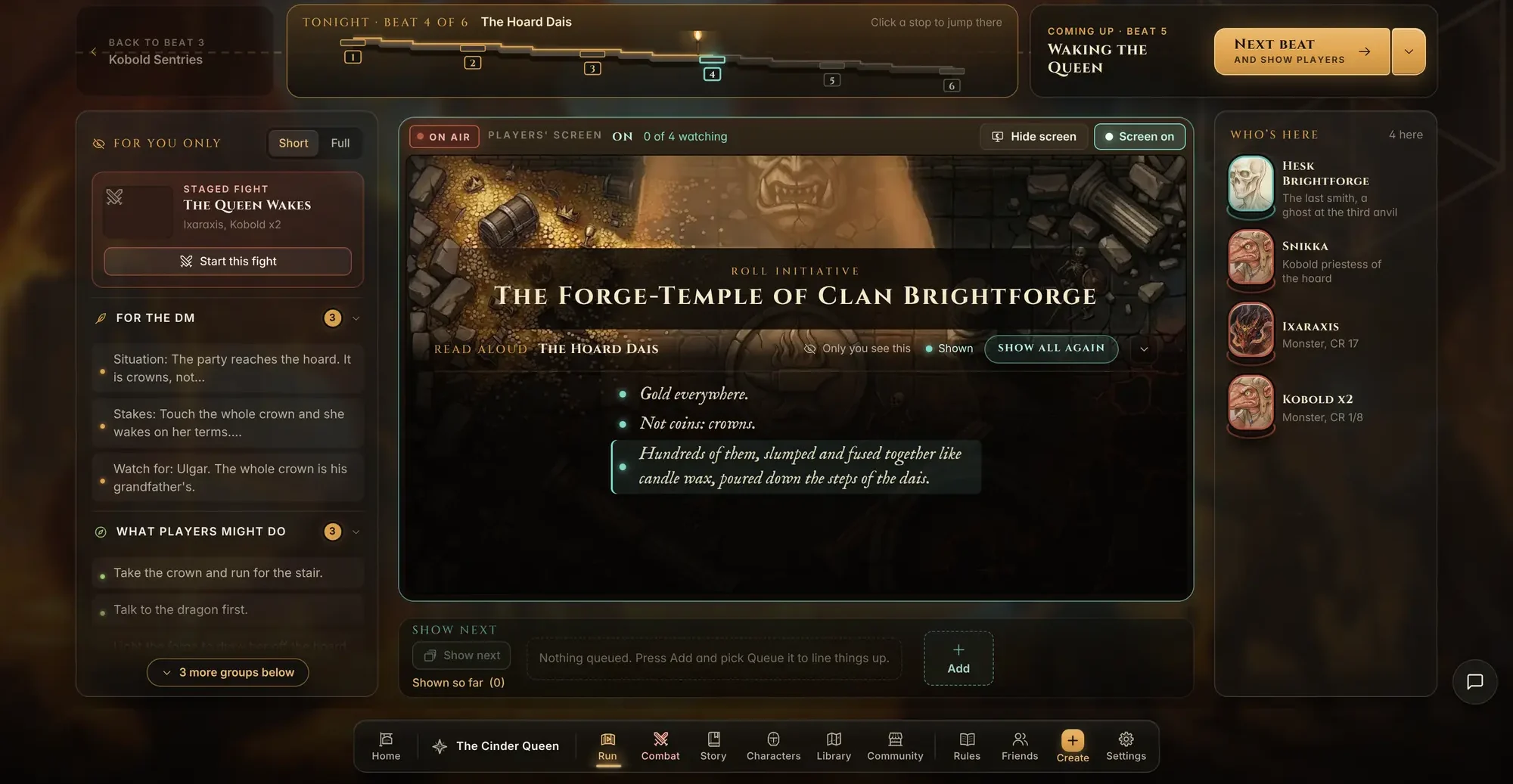
Run mode: the scene script with read-aloud text in the middle, scene notes on the left, the cast on the right, and the players' screen marked on air
Run mode on beat 4, The Forge-Temple of Clan Brightforge. The players' screen is on air

Characters with real sheets

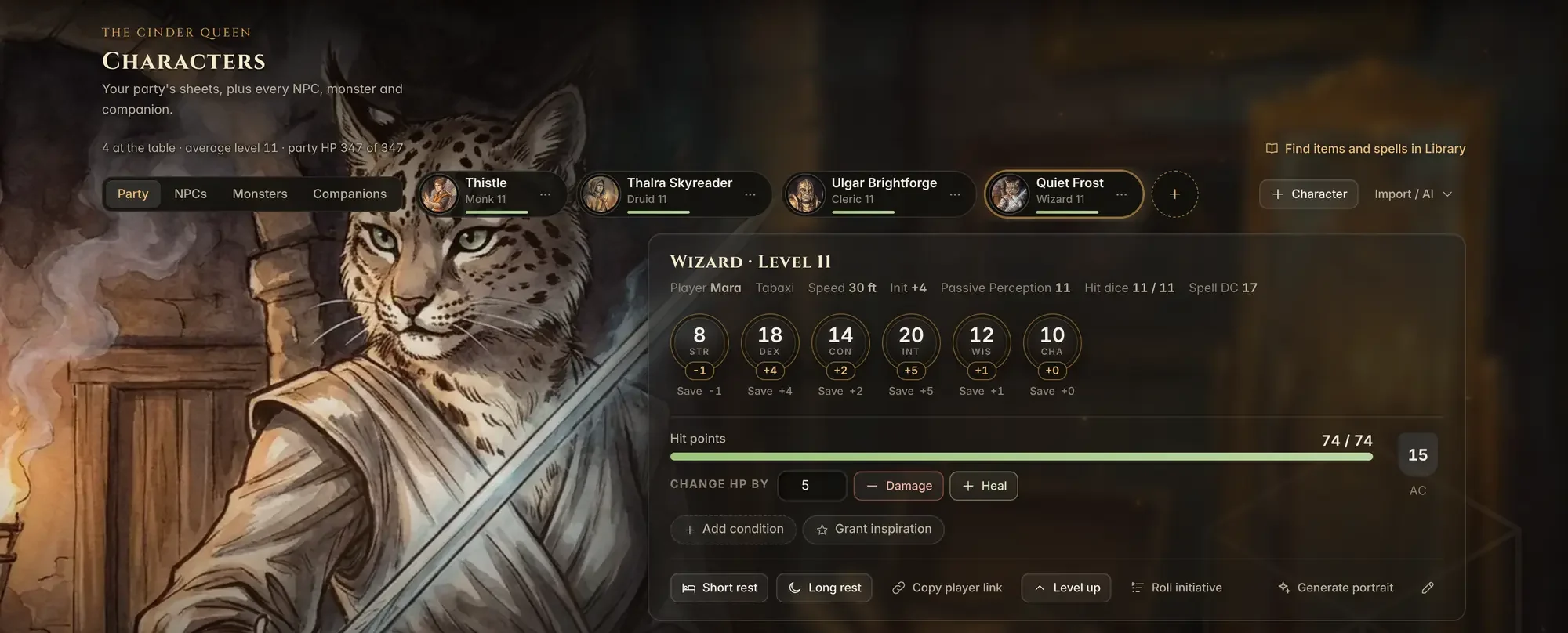
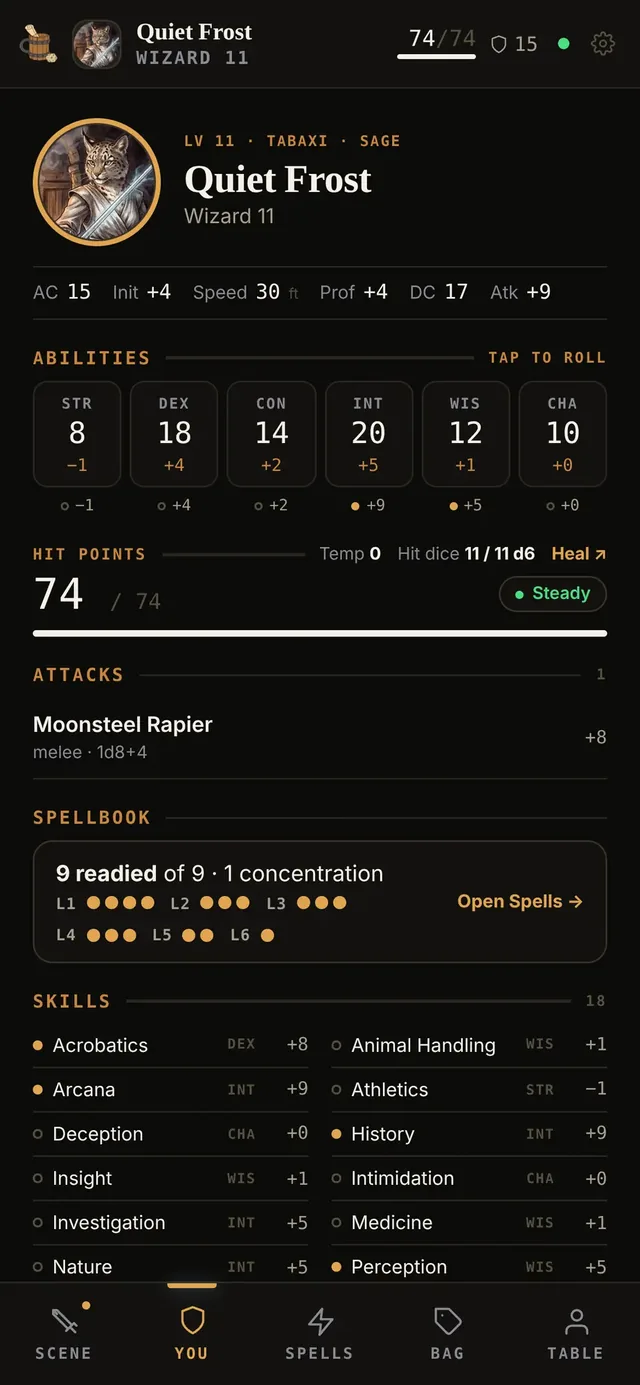
Every hero gets a full 5e sheet and a painted portrait. The GM can change hit points in one tap mid-fight, and the player sees it on their phone right away.
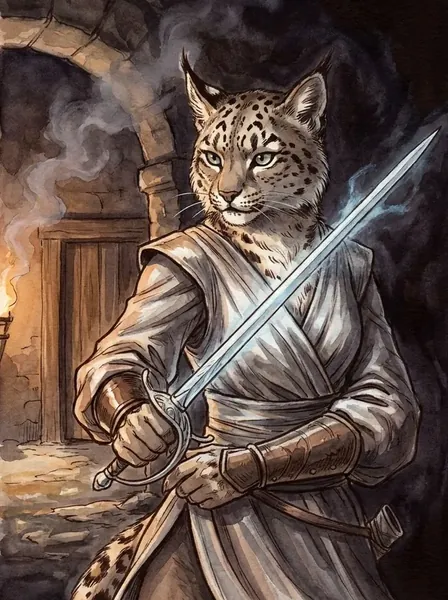
Portrait of Quiet Frost, a snow leopard bladesinger with a glowing sword
Quiet Frostthe Last Bladesinger
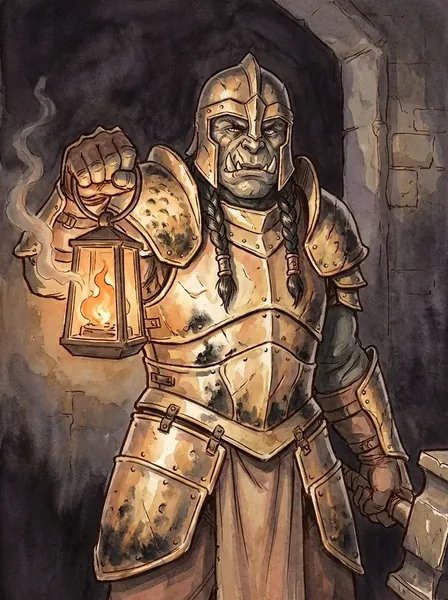
Portrait of Ulgar Brightforge, an armored dwarf holding a lantern
Ulgar Brightforgethe Anvil-Father
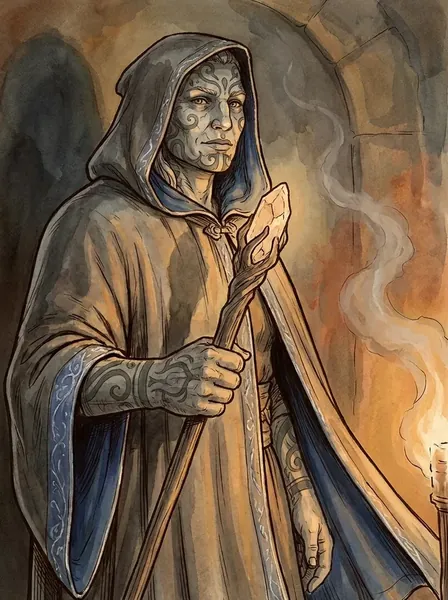
Portrait of Thalra Skyreader, a hooded elder with a glowing hand
Thalra SkyreaderUnder Seven Stars
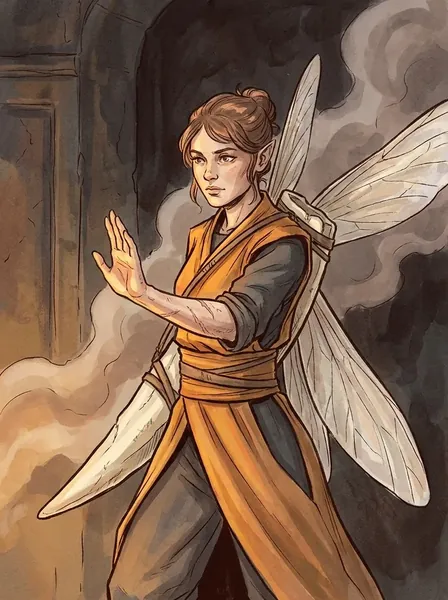
Portrait of Thistle, a winged monk in orange robes
Thistlethe Bridge
Quiet Frost's character sheet as the game master sees it: portrait, ability scores, hit points, attacks and spells
Quiet Frost's sheet as the GM sees it. Her player has the same sheet on their phone

The board comes alive

This is the part I've spent the most time on. A GM uploads their own battle map or starts from a ready one, then places lights: lanterns, hearths, lava, a shaft of daylight. Walls and pillars cast real shadows, and weather and time of day sit on one slider. The lighting runs in a WebGL2 layer on top of the map.
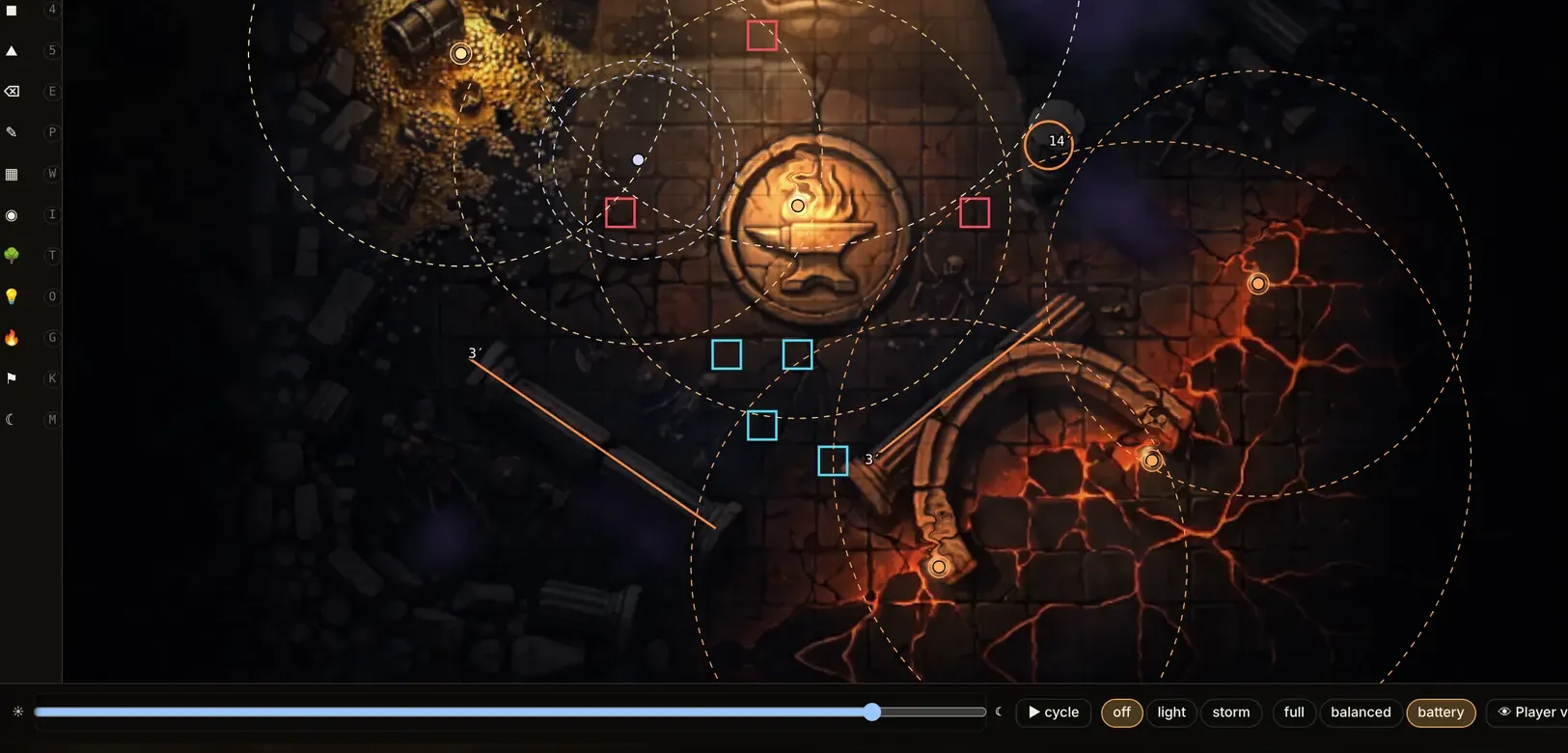
The map editor showing the forge-temple battle map lit by lava and a hearth, with rings marking each placed light
The forge-temple in Life mode. Each ring is a light the GM placed

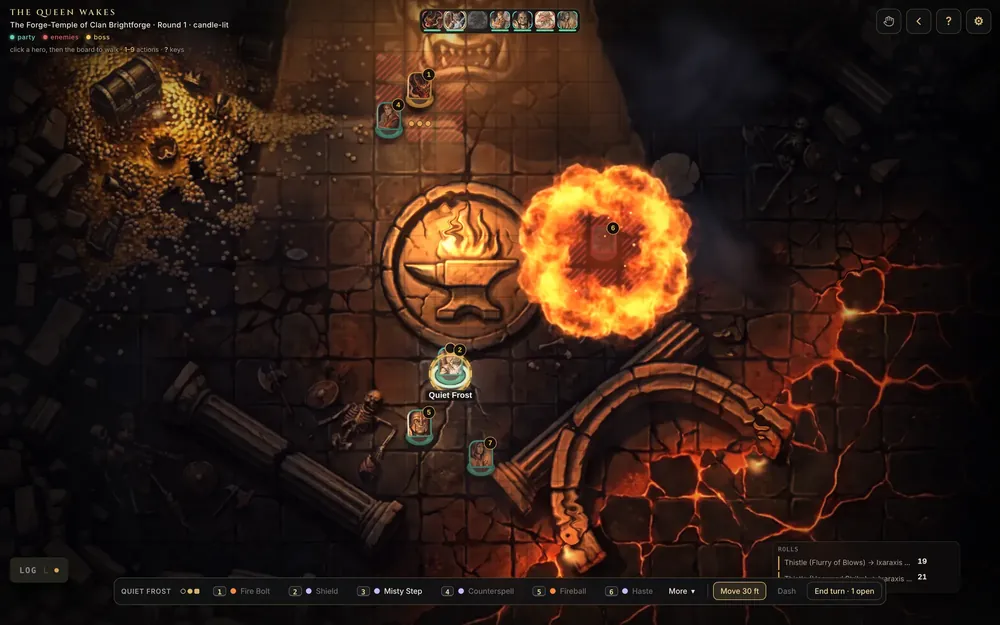
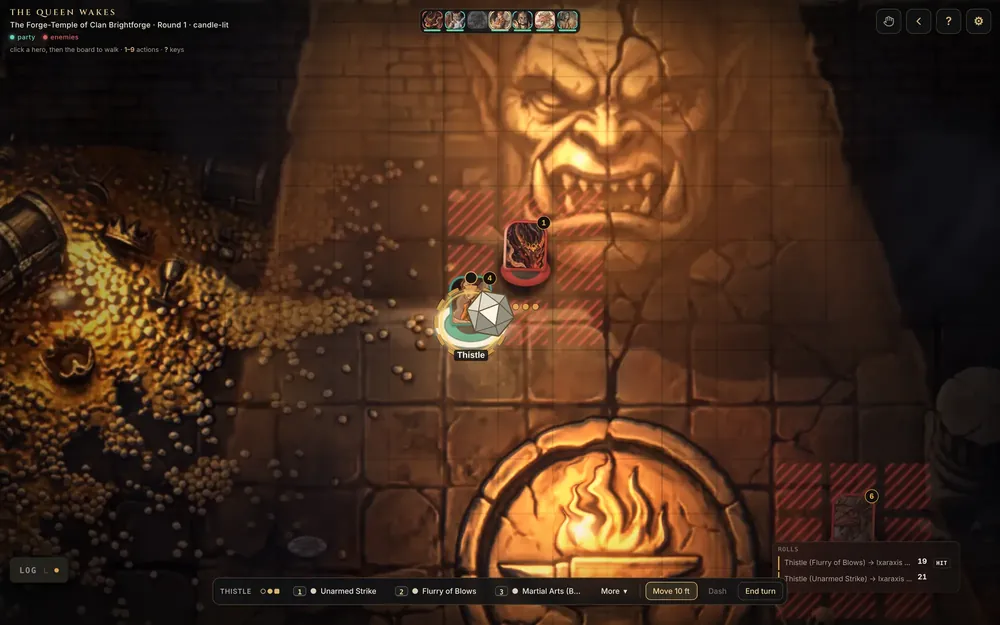
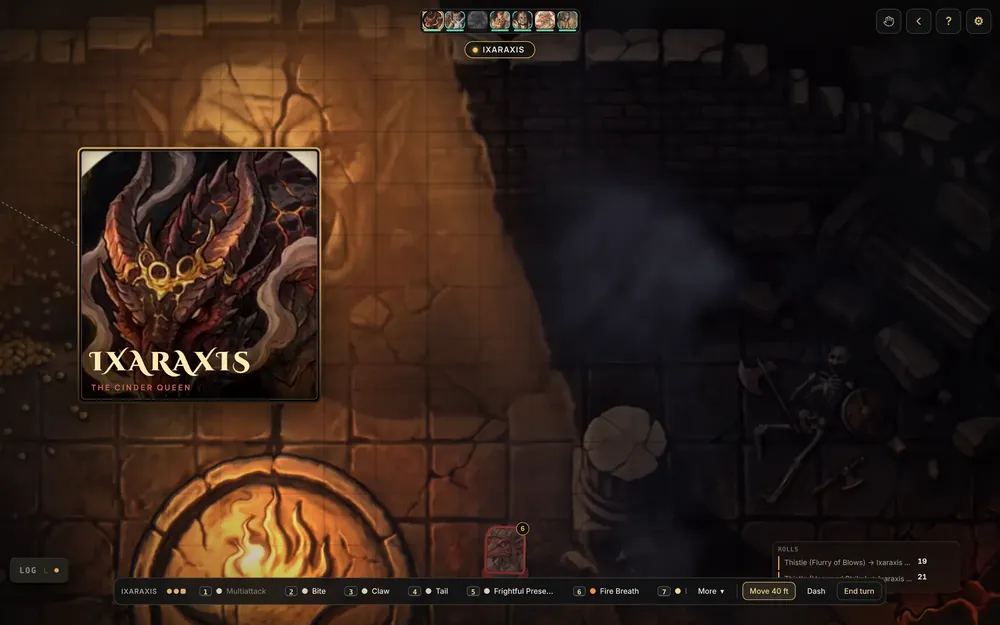
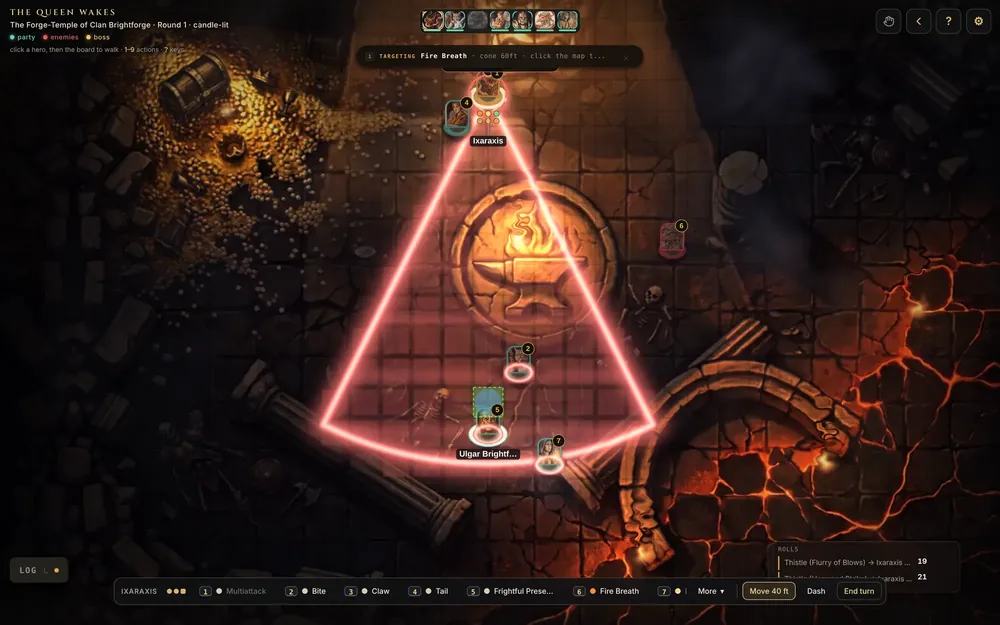
When the fight starts, spells play out on the map, dice roll where they land, and the app does the rules math: attacks, saving throws, damage, conditions, movement range, and opportunity attacks. The frames below are all from one fight, taken straight off the board.
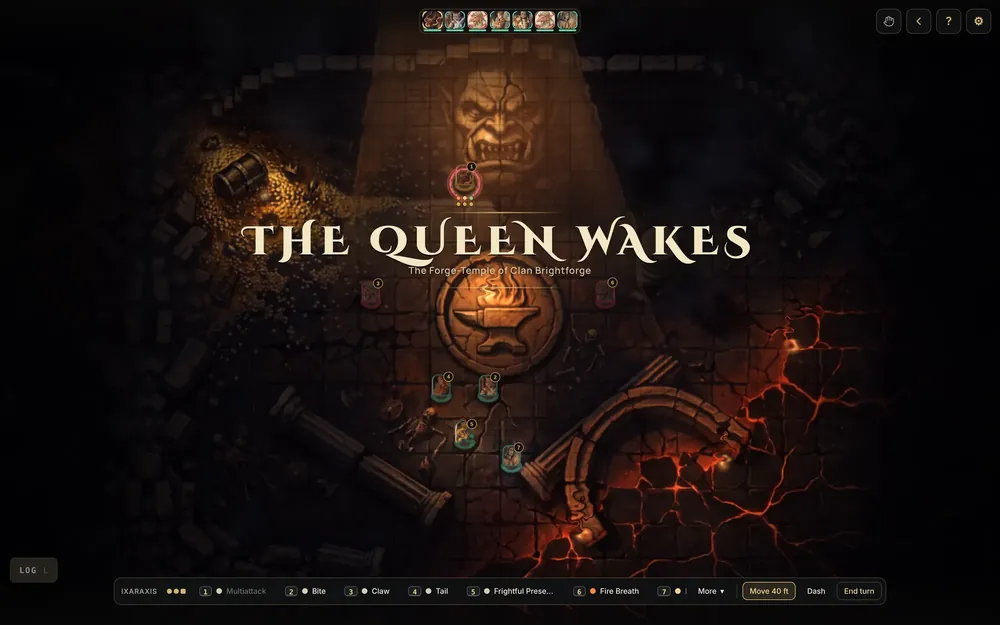
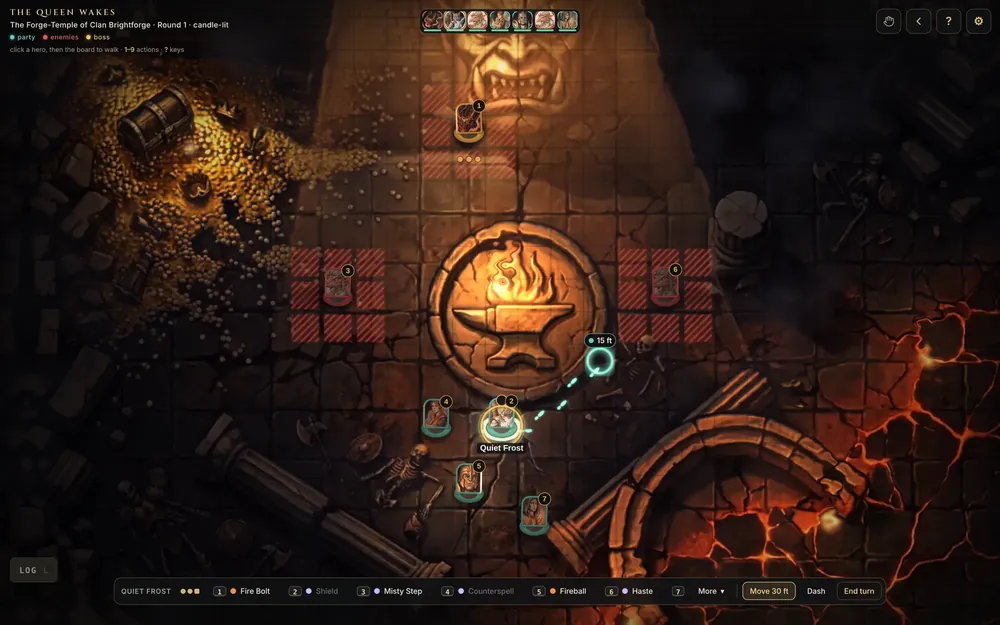
The Cinder Queen Real frames from one fight in the app
A title card reading The Queen Wakes over the lit battle map
The fight opensA title card over the lit map
A token's reach and threatened squares highlighted before it moves
MoveReach and threatened squares before you commit
A Fireball exploding on the battle map
Fireball8d6 fire, played out on the board
Dice rolling on the board next to a monk token
Dice on the boardThistle's Flurry of Blows, rolled where it lands
The dragon Ixaraxis's portrait card appearing as she takes her first turn
The boss revealIxaraxis takes her first turn
A red cone template aimed across the map for the dragon's fire breath
Fire BreathA 60 ft cone, aimed before it lands

Building the fight ahead of time

Running real sessions on my own tool showed me where combat slowed down, and most of it was building encounters on the fly. So now encounters get built before anyone sits down. The GM picks monsters from the SRD 5.1 catalog, places them on the map, and a difficulty meter reads the party's level and says how hard the fight will be. One button starts it on the night.
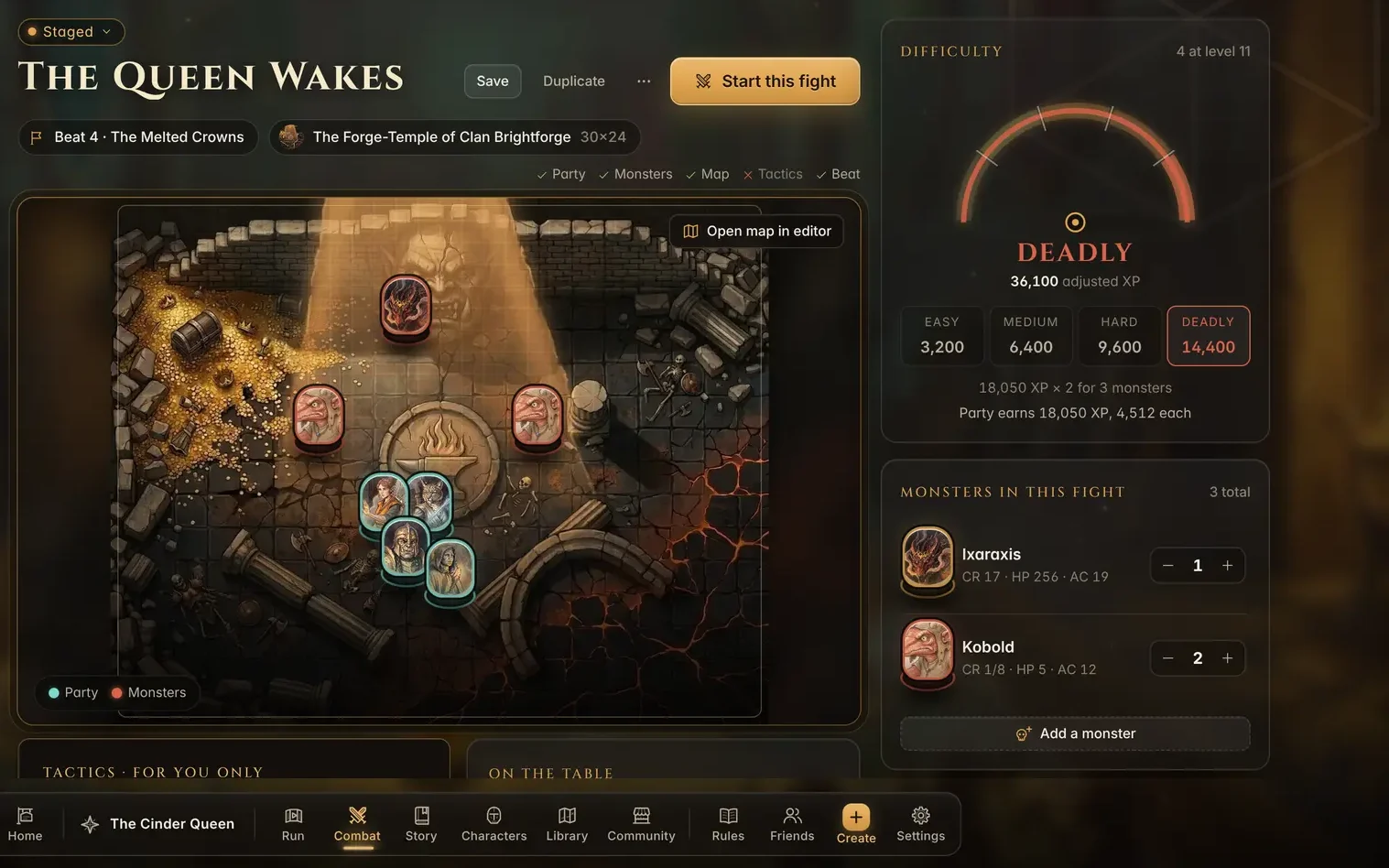
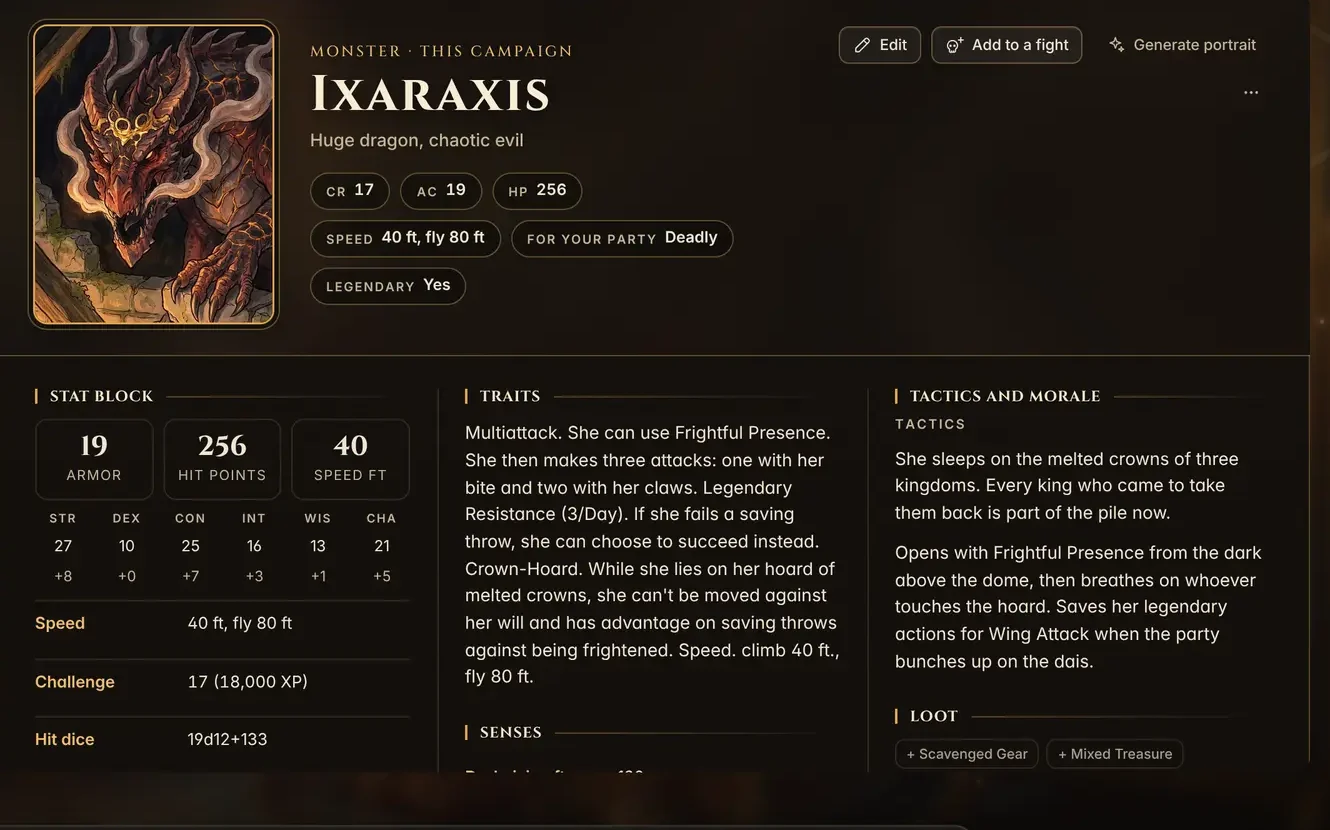
The library holds the full SRD catalog of monsters, spells, and items, and each GM's own creations sit in a separate My library section so they're easy to find.

Players on their phones

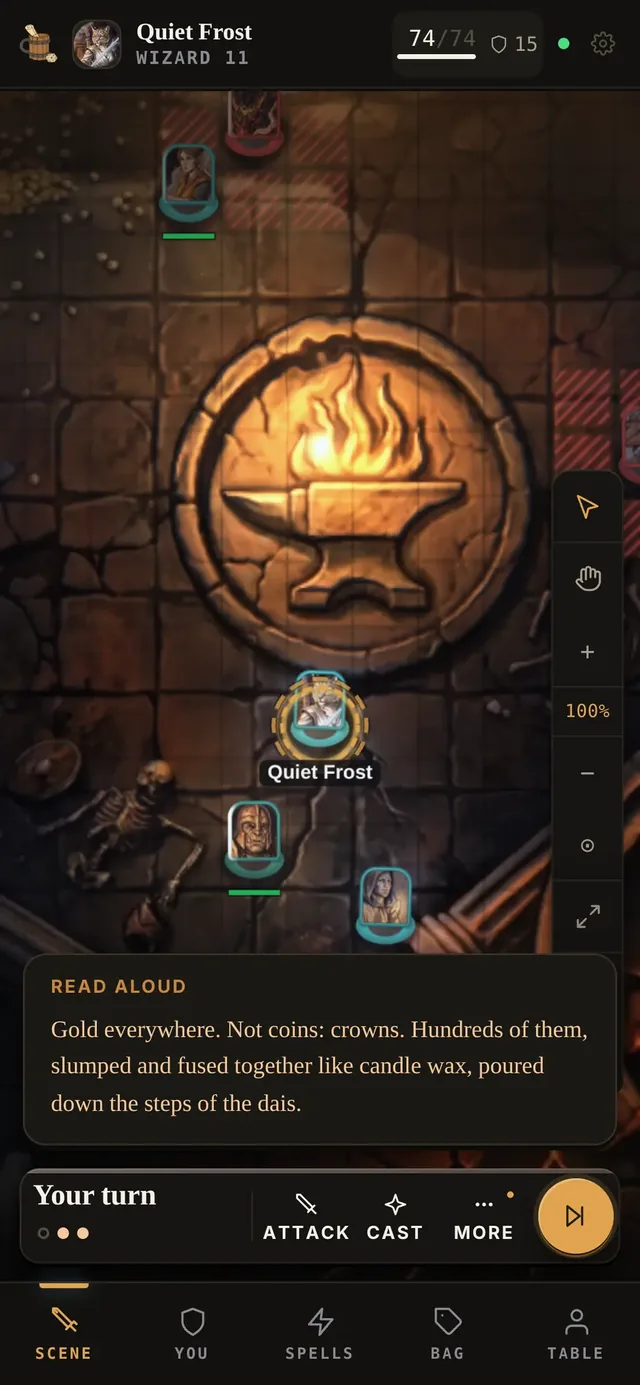
Each player makes a free account and opens their GM's invite link. Their phone becomes their controller. They see the board, their own sheet, and whatever the GM reads aloud, and they can attack, cast, or end their turn with one tap. The GM's notes stay with the GM.

Everything stays in sync over Socket.IO. When the GM applies damage, the player's hit points drop on their phone in the same moment, no refresh needed.

The Community shelf

GMs can grab a ready-made map, monster, or character from the Community shelf and add it to their campaign in one click. Showcase maps come with their lights and weather already set.
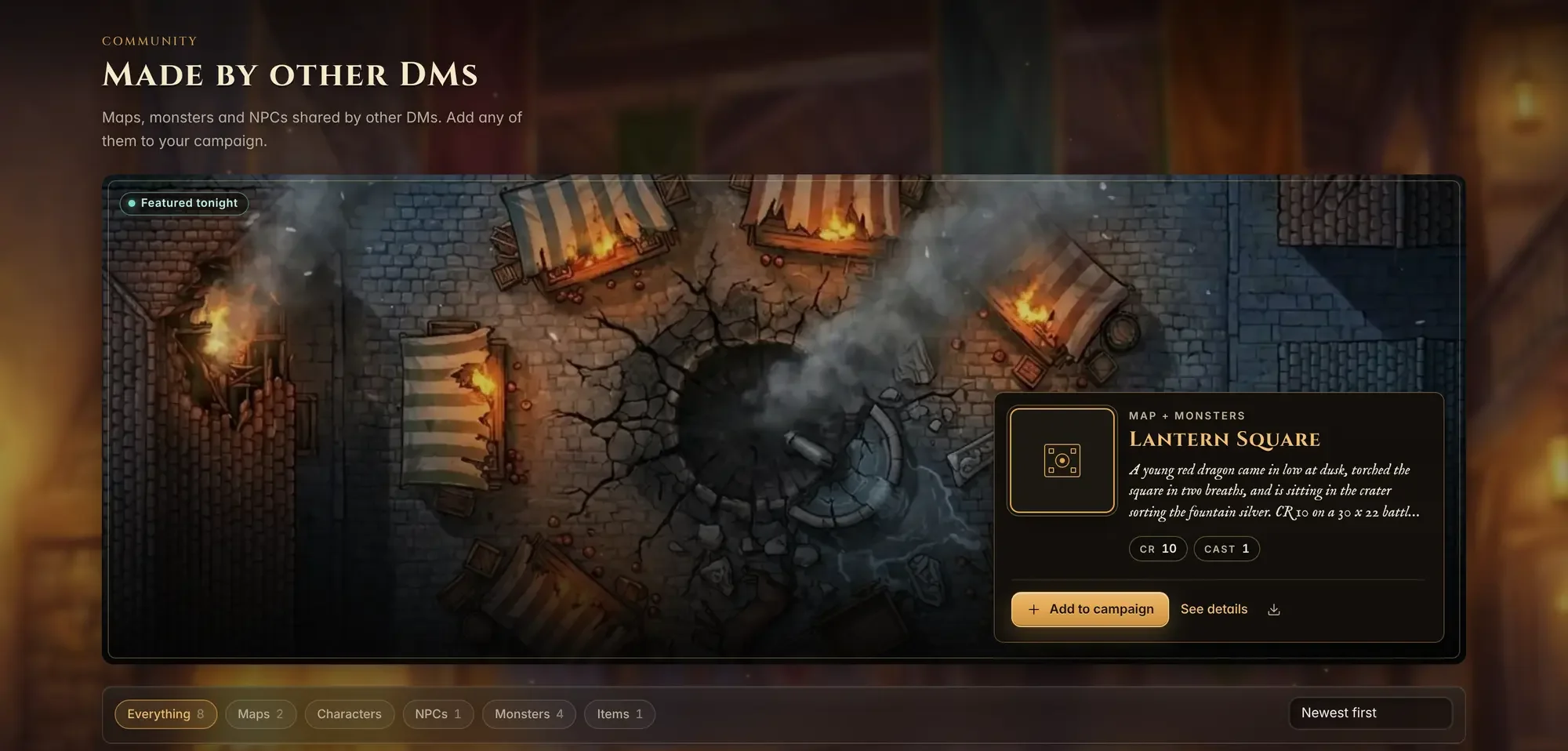
Community shelf featuring Lantern Square, a battle map with a young red dragon in a burning market
Tonight's featured drop: Lantern Square, a young red dragon in a burning market

AI stays optional

There's a helper that knows your campaign and can draft a scene, a stat block, or a name from what your table has already played. It's off until you ask for it, and nothing goes into the campaign until the GM keeps it. The helper is the only paid part. Everything else is free for players and GMs.

It's 5e, SRD 5.1 underneath. Free for players and game masters, and it works in the browser on desktop, tablet, and phone. Live at rollcalltavern.com.
Architecture

ROLLCALL TAVERN · SYSTEM TOPOLOGY GM app · React + TypeScript Prep and Run · story script · encounters · library WebGL2 lighting layer on the battle map Player app · phone, tablet or laptop free account · GM invite link · one character board · sheet · read-aloud · one-tap turns REST actions Socket.IO state push Node.js API + Socket.IO broadcast validated actions in · converged state out · every screen at the table stays in sync without polling 5e rules engine · server side attacks · saves · damage · conditions · concentration movement range · opportunity attacks · SRD 5.1 catalog AI helper · opt-in drafts to schema · GM keeps or tosses Stripe billing gates the helper only Campaigns · characters · maps and lights · encounters · community shelf · per-GM library

Engineering Decisions

  • Socket.IO for state, REST for actions. Every change goes through a validated endpoint, then the server broadcasts the result so the GM screen and every phone converge without polling.
  • Rules live on the server. Attack rolls, saves, damage adjustments, conditions, and concentration are worked out server side, so every screen at the table plays exactly the same game.
  • Players see only what they should. A player joins through the GM's invite link and is tied to one character. Hidden notes and anything the GM hasn't revealed never leave the server for that player.
  • Lighting on the GPU. Lights, shadows, and weather render in a WebGL2 layer over the map, separate from the tokens and the rules.
  • AI drafts to schema and waits for a yes. Helper output is validated against the same schemas the UI uses and comes back as an editable draft. Nothing is saved until the GM keeps it.
  • Free core, paid helper. Billing runs through Stripe and only touches the AI helper, so a table can run a whole campaign without paying anything.